Sign up today and unlock up to $10,000 bonuses Get Now →
For the complete documentation index, see llms.txt. This page is also available as Markdown.

πŸ–₯️Wallet Interface

Your Wallet on 1 Trade Market is where you check your balances, deposit and withdraw funds, and review your full transaction history.

Your Wallet is where you manage your money on 1 Trade Market. Open it from the top navigation to see your balances, add or withdraw funds, and review your transaction history.

See your balance at a glance

The Overview tab shows five cards that summarise your account:

The Wallet balance cards: Net Portfolio, Bonus, Available, Trade Balance and Pending Orders
  • Net Portfolio the total value of your account, including open positions.
  • Bonus promotional credit added to your account.
  • Available funds ready to trade or withdraw.
  • Trade Balance the funds in your trading account, including unrealised profit or loss.
  • Pending Orders the number of positions you have open.

Add funds

Switch to the Deposit tab to add money. Choose a crypto deposit, a bank wire through a trusted partner, or a card purchase.

The Deposit tab with three ways to add funds

Withdraw funds

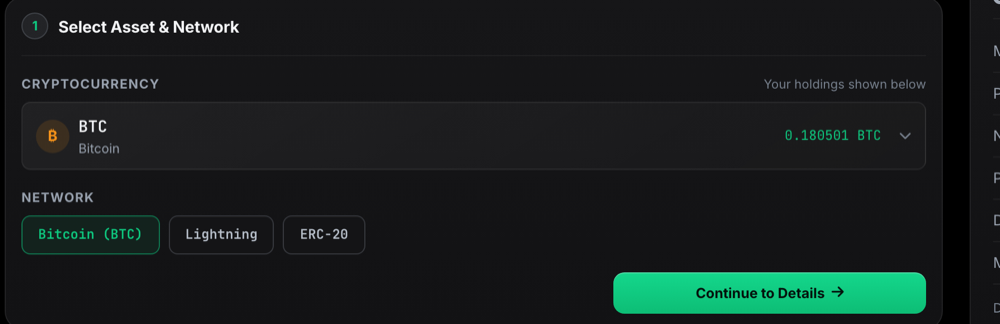
Switch to the Withdraw tab to send funds to an external wallet. Pick your asset and network, then continue to review the details.

The Withdraw tab, where you choose an asset and network to send

Transaction history

Every deposit, withdrawal, trade and reward is recorded in the Transaction History at the bottom of the Wallet page, where you can filter by activity type.

Last updated