Sign up today and unlock up to $10,000 bonuses Get Now →
For the complete documentation index, see llms.txt. This page is also available as Markdown.

↗️Withdrawals

Withdraw funds from your 1 Trade Market wallet to any external address by choosing an asset and network, with zero platform fee (a network fee applies).

You can withdraw your funds to any external wallet with zero platform fees. Open your Wallet and select the Withdraw tab.

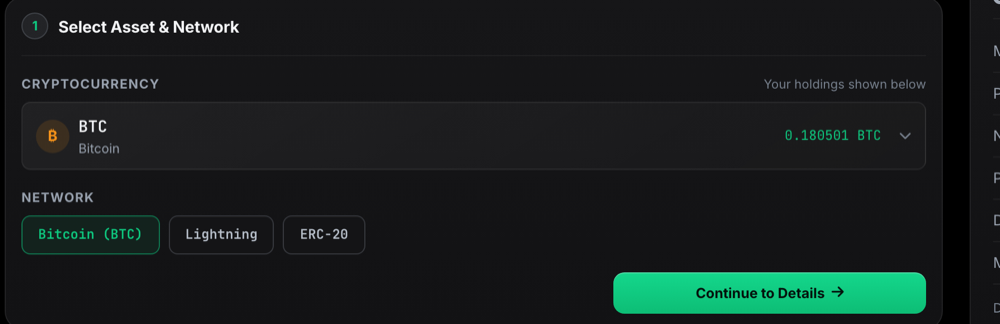
1. Select asset and network

Choose the cryptocurrency you want to withdraw and the network to send it over, then continue to the details.

Selecting the asset and network to withdraw on 1 Trade Market

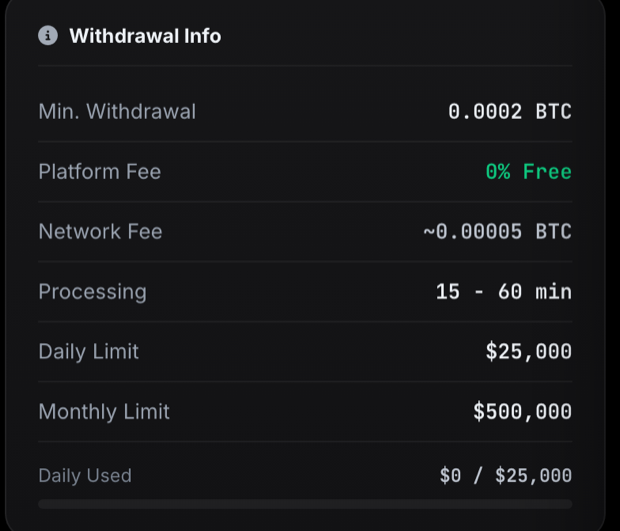
2. Check the withdrawal details

Review the minimum withdrawal, fees, processing time and your daily and monthly limits before you confirm.

Withdrawal details: minimum, fees, processing time and limits

Last updated